Anonymize Profile Data
Anonymization of Guest's data can bring some considerable benefits and liberate a property from certain obligations set out in GDPR. Agilysys Stay allows for both scheduled and manual anonymization. Once policies have been added and mapped to profiles, data will get anonymized in a scheduled manner. Anonymization occurs within 12 hours after the expiration of consent and retention policies and occurs based on UTC, starting 11.00 AM. It is the property's responsibility to ensure this additional information is communicated to the Guest. However, some of the following criteria are considered during the scheduled anonymization process:
-
A guest profile can have one or more consent policies applied to them. As a result, there is be a possibility of having different retention periods for the same data fields. In such a scenario, the longest retention period among the selected consent policies for a guest's data are applied to anonymize data.
-
A guest profile can sometimes have both a data retention policy and consent policies mapped to them. In such a scenario, the longest retention period among all these policies is applied to anonymize guest data.
-
A guest profile can sometimes not have any data retention policy mapped but have only a consent policy. In this case, the retention period mentioned in the consent policy(s) is considered to anonymize data.
Perform the following steps to anonymize manually:
Log in to Agilysys Stay.
Navigate to Reservations ➜ Profiles.
Navigate to the Profiles tab on the Search page.
Select the Guest field from the Profile Type box.
Enter the name of the profile in the search bar and click Go.
Select the profile from the list of displayed profiles to do manual anonymization.
Click the Consent Management tab from the selected profile.
Click Manual Anonymize.
Enter a Reason to perform the manual anonymization.
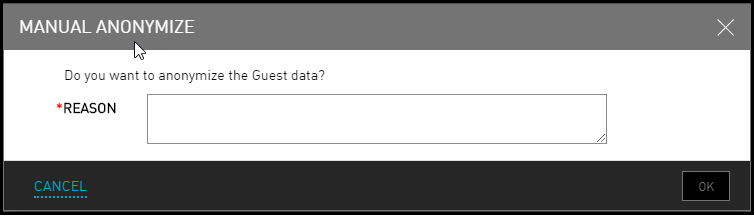
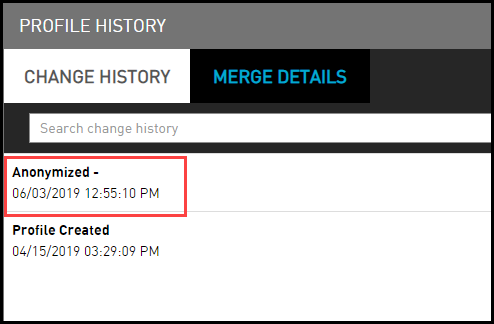
Click Ok. To view the confirmation of anonymization, user can check the Logs in the Change History.